case study / release.garden
From discovery to first release
Designing a connected onboarding experience for release.garden
Product design · Interaction design · Developer experience
- Role
- Sole designer and engineer
- Product
- release.garden
- Status
- Shipped, ongoing
01 / The challenge
Making a CLI-first product easier to get started with
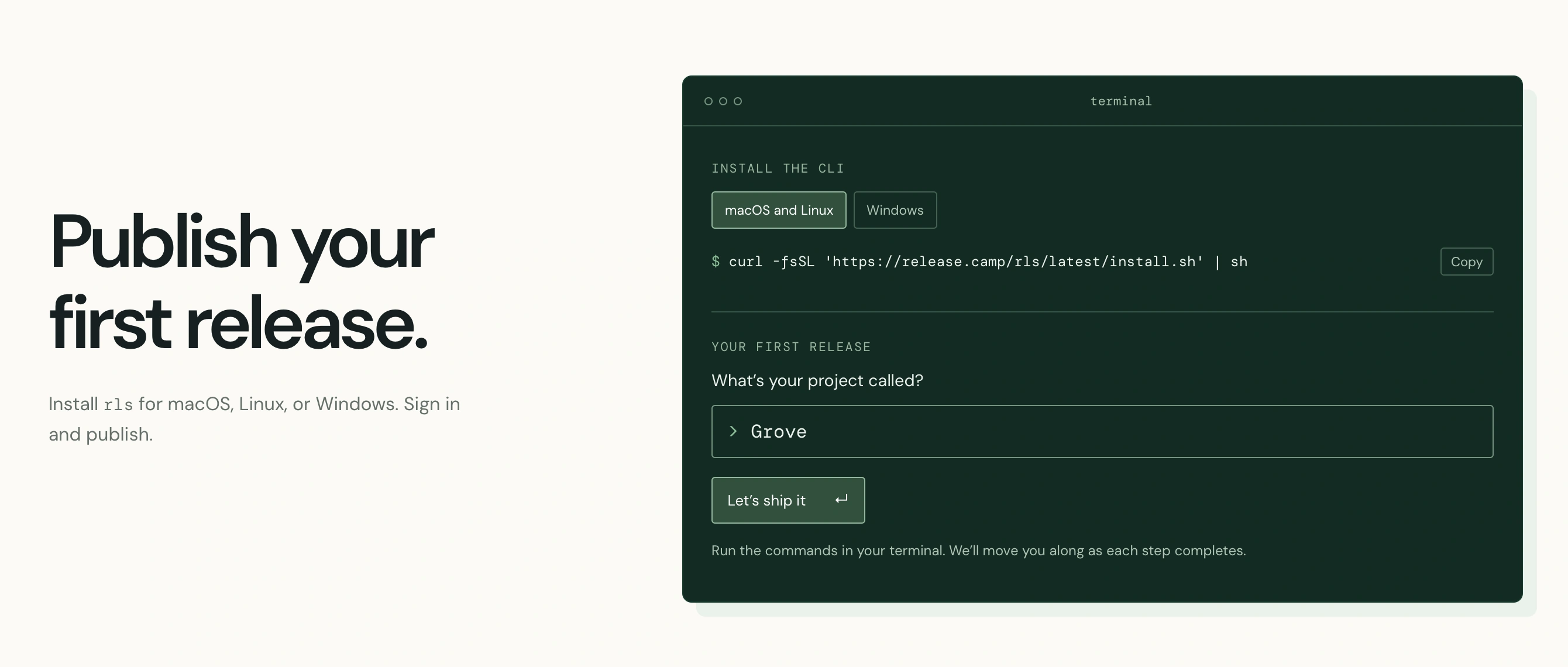
release.garden lets developers publish releases, distribute artifacts, and maintain public changelogs independently of their source code host. It's built around a command-line interface.
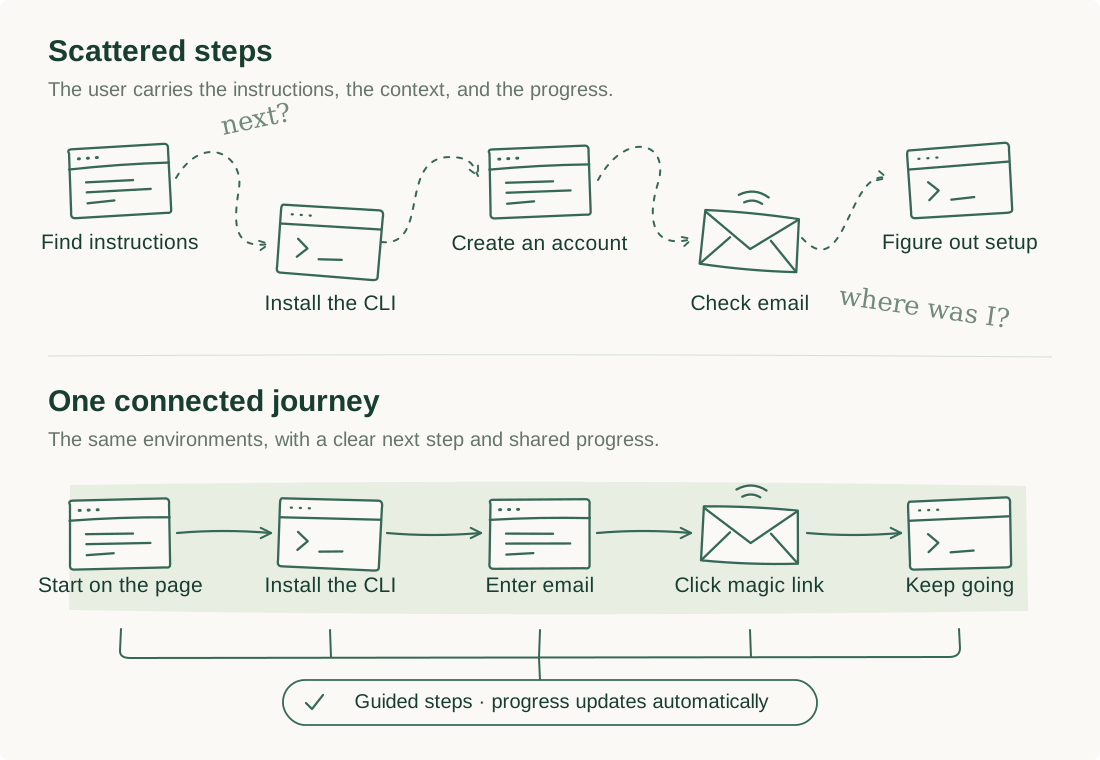
Getting started with a CLI tool often means moving between installation instructions, documentation, account registration, and the terminal. The friction comes from figuring out what to do next and keeping track of what's done.
I wanted developers to go from discovering release.garden to publishing their first release through a guided flow connecting the browser, terminal, and email. My priorities were to make the next step obvious, ask for as little as possible, and reflect progress automatically.
02 / Design evolution
Moving onboarding closer to the first interaction
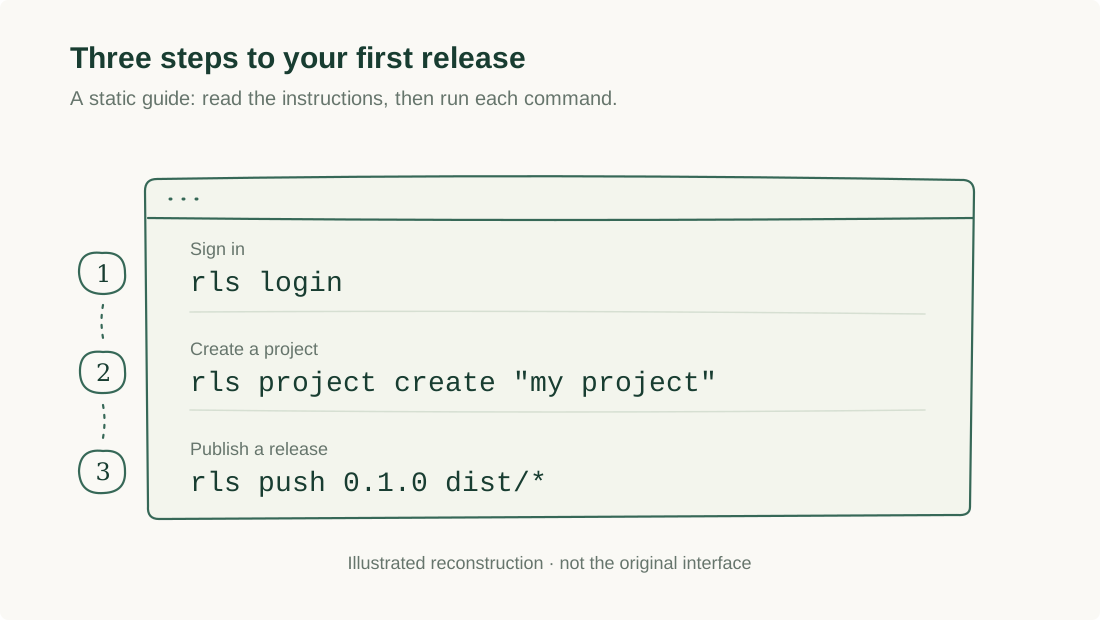
The original marketing page had a static three-step guide. It explained the commands, but users had to follow them and track their own progress.
As I built the application, I added interactive dashboard onboarding. Server-sent events (SSE) let the interface update as users completed actions in the terminal.
That raised a question: why wait until users reached the dashboard? The marketing page was already their first encounter with the product. I brought the guided experience there and added contextual instructions to the CLI.
03 / The solution
Start on the marketing page
Developers can begin installing and configuring release.garden where they discover it. The page shows the next step and updates as they complete terminal actions, without a refresh or an “I've completed this step” button.
Combine account creation and authentication
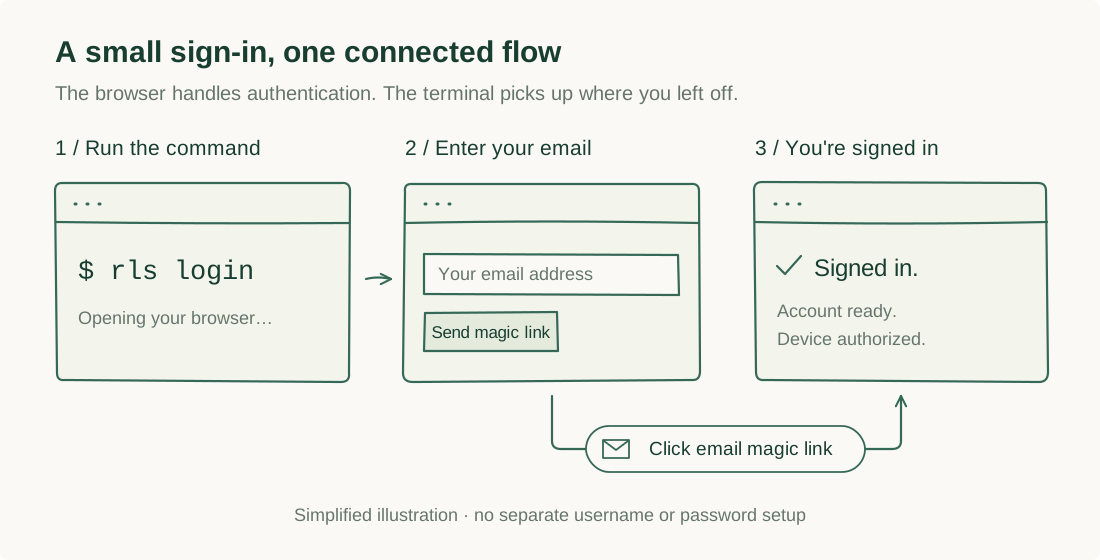
After installing the CLI, users run:
rls login
This opens a browser where they enter their email address. Clicking the magic link creates their account and authorizes their device in one action. There are no usernames, passwords, or separate registration and login flows.
The terminal recognizes the completed authentication and continues onboarding.
Guide users in the terminal, too
The CLI suggests the next step after each action, so developers can continue in their terminal after authentication without returning to the marketing page. Visual guidance is available, but completing setup doesn't depend on keeping it open.
Good onboarding shouldn't require users to manage their own onboarding.
04 / Early feedback
The onboarding experience is live, and initial feedback has been encouraging. During a walkthrough, a friend described the flow as straightforward and painless.
Formal usability testing is still ahead. As more developers try release.garden, I want to understand where they hesitate, which steps cause abandonment, and whether the experience helps them reach their first successful release.
05 / Reflection
I started by explaining the steps and ended up reducing the work between them: navigating interfaces, tracking progress, and deciding what comes next. The experience still spans a browser, email, and terminal, but the product helps connect them.